React Fiber: What Every React Developer Needs to Know About Reconciliation
Reconciliation is one of the most important internal concepts in React. It is the foundation of how React updates the UI efficiently—whether you are building for the web, mobile, or other platforms.
With the introduction of React Fiber, the reconciliation process changed significantly. In this article, we’ll break down what reconciliation is, why Fiber was introduced, and how it works at a high level.
What Is Reconciliation?
Reconciliation is the process by which React takes your UI description and aligns it with the actual rendering environment.
When you write JSX, you are not directly manipulating the DOM or native views. Instead, you are describing how your interface should look and behave, for example:
- A top bar
- A side navigation
- User profiles
- Buttons, forms, and interactions
React takes this JSX description and reconciles it with a host environment to produce the final UI that users see.
Although this sounds simple, this process is where all rendering logic happens in:
- React for the Web
- React Native
- Other React renderers
What Is a Host Environment?
A host environment is where React ultimately renders your UI.
- For React Web → the browser’s DOM
- For React Native → native view systems on iOS and Android
Reconciliation is the bridge between your JSX description and these environments.
Why Reconciliation Matters
Reconciliation is responsible for producing the final view that appears on the user’s screen. Every update—state change, prop change, or context update—goes through this process.
Understanding reconciliation helps you:
- Write more performant React applications
- Understand why certain updates feel slow
- Reason better about rendering behavior
Before Fiber: Stack-Based Reconciliation
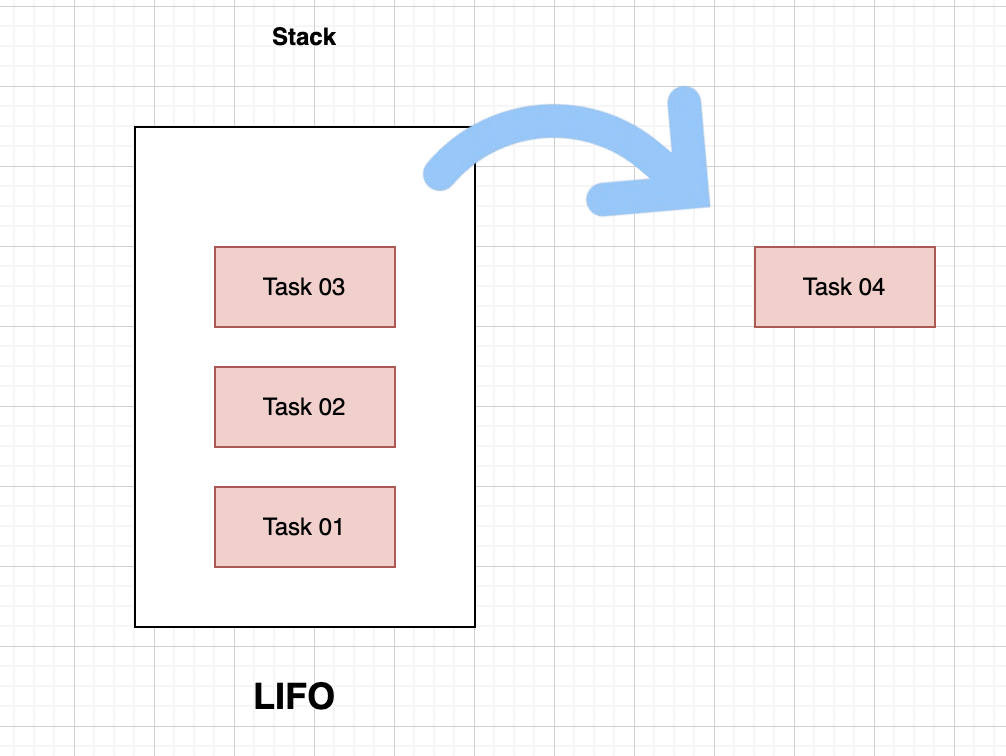
Earlier versions of React used a stack-based reconciliation algorithm.
 />
/>
How It Worked
- Updates were processed sequentially
- The algorithm followed a LIFO (Last In, First Out) approach
- Rendering work was synchronous and non-interruptible
Problems With This Approach
- Difficult to run work in parallel
- High-priority updates could still be delayed
- Long renders could block the main thread
- The UI could become unresponsive during heavy updates
Even on powerful machines, this approach caused noticeable delays in complex applications.
Enter React Fiber
To solve these issues, the React team introduced React Fiber.
Fiber is a reimplementation of the reconciliation engine, designed to make rendering:
- Interruptible
- Prioritized
- More efficient
Fiber’s Two-Phase Approach
React Fiber introduced a two-phase rendering model:
1. Render Phase
- Work is done off the screen
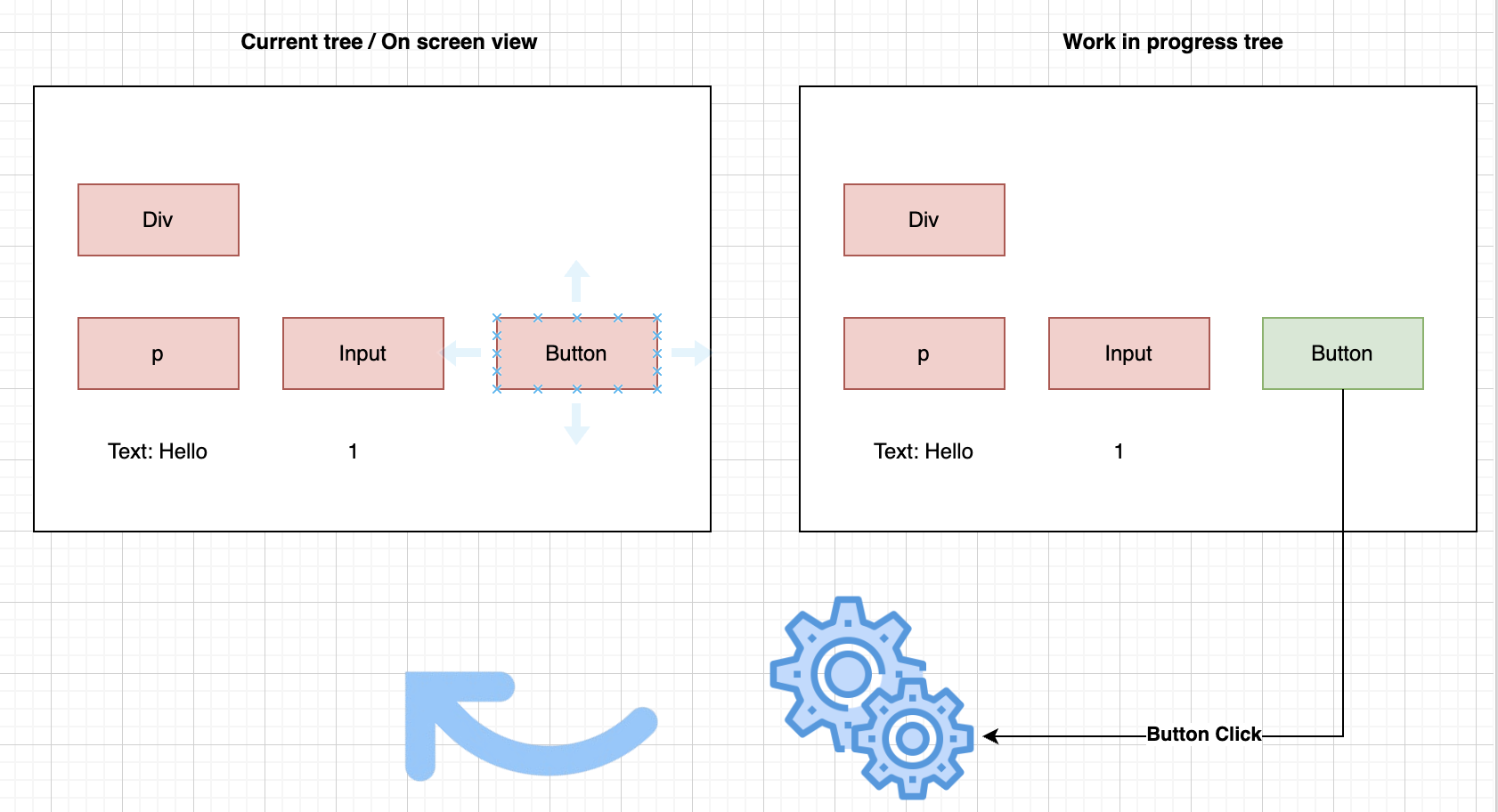
- React builds and updates a work-in-progress tree
- This phase is interruptible
- React can pause, resume, or discard work based on priority
2. Commit Phase
- Once rendering is complete, changes are committed to the screen
- Updates are applied to the DOM or native views
- This phase is synchronous and cannot be interrupted
The Two Trees: Current vs Work-in-Progress
Fiber maintains two trees:
- Current Tree → Represents what is currently rendered on the screen
- Work-in-Progress Tree → A detached tree where updates are prepared
React performs rendering work on the work-in-progress tree. Once everything is stable, it swaps the trees during the commit phase.
How Updates Are Tracked
When a change occurs:
- React marks the affected component with a flag
- During the render phase, only flagged components are processed
- After rendering completes, React commits the changes in one pass
This allows React to:
- Prioritize urgent updates (like user input)
- Defer low-priority work (like background updates)
- Keep the UI responsive
Final Thoughts
Reconciliation is the heart of React’s rendering process, and Fiber fundamentally changed how React handles updates.
By introducing:
- Interruptible rendering
- Priority-based updates
- Off-screen rendering with controlled commits
React Fiber enables smoother, more responsive user interfaces across platforms. If you’re a React developer, understanding Fiber—even at a high level—helps you write better, more performant applications.